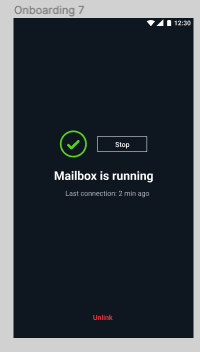
This screen should be showing after the mailbox and briar app are linked - ie the mailbox QR code is scanned by Briar
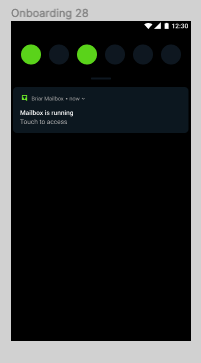
At the same time when the notification bar is pulled down, it should be showing
The purpose of this test is to tap on every link and every button of this screen, in portrait and landscape, on different devices
The tappable buttons and links are:
Stop button on the Mailbox screen - when this button is tapped, the mailbox exits. There are no mailbox notifications when mailbox is stopped.
Stop the app, and launch it again (in which case it should not connect automatically, because it was rpeviously stopped manually, see ticket https://code.briarproject.org/briar/briar-mailbox/-/issues/87
Last connection time should be correct
And lastly, tap the Unlink link at the bottom of the screen, which should lead to ...
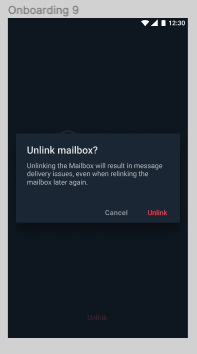
Repeat on different devices, portrait and landscape, navigate back and forth, double tap the Unlink link on the status screen etc.
The difference between the mailbox status screen on the mailbox side and Briar side:
- on the mailbox device, mailbox status screen contains the stop button. On the Briar side of things, the mailbox status screen contains Check Connection Link. Which means that on the mailbox device, the user can choose to stop mailbox but we cannot do that from the Briar device. On the other hand, we are able to check the Briar-Mailbox connection from the Briar device, but we cannot do that from the Mailbox device.